
Is WordPress still a good choice in 2026? An honest look.
WordPress runs more than 40% of all sites, powers the White House and Rolling Stones websites, and it's the CMS (Content Management System) we use for most of the websites we build. Here's where WordPress excels, where it falls short, and what's worth knowing before you decide, from the perspective of a team that's been building on it for over 20 years.
Every year, someone declares WordPress dead. This year it's AI site builders. Before that it was Webflow and Framer. Before that, Wix and Squarespace were supposed to finish it off. The complaints are always the same: it's old, bloated, and only for blogs. Strange thing to keep saying about software that still runs more than 40% of every website on earth. According to W3Techs, it also powers roughly 60% of all sites built on a known content management system.
We don't build on WordPress out of habit. We build on it because, project after project, it does the job. WordPress gives you, the client, a custom-designed site you can manage without needing a degree in computer science and one that shows up in a Google search. Does that mean we build EVERY site on WordPress? No, and we'll get to why shortly.
This guide is our honest take, pulled from years of building, hosting, and maintaining WordPress sites for real businesses. It covers why it's still a smart foundation, the common concerns we hear most often and what's behind them, the household names that rely on WordPress, and the few times we'd steer you elsewhere.
What is WordPress, exactly?
WordPress is a free, open-source content management system (CMS) - the software that runs your website and gives you a dashboard to update it. The version that matters for business is self-hosted WordPress (from WordPress.org), which you run on your own hosting and control completely. It's different from WordPress.com, a hosted service built on the same software. When we say “WordPress,” we mean the self-hosted, own-everything version.
WordPress's market share is insurance, not trivia
“40% of the web” gets repeated so often it stops meaning anything. For comparison, the next-largest platforms - Shopify and Wix - sit at roughly 5% and 4% each. WordPress has close to eight times the reach of its nearest competitor!
When a platform is that widely used, it has real practical consequences for anyone building on it. Realistically, you'll never be stranded running a WordPress website. There's a global pool of developers, agencies, and freelancers who know WordPress, so you'll never be dependent on one person or company to keep your site running. WordPress isn't going anywhere either. It's been around since 2003 and new updates and fixes are released regularly. Trendy platforms, meanwhile, get acquired, pivot, or disappear completely and leave site owners in a lurch. A CMS that's run this much of the web for over twenty years will still be here in ten more. And whatever you're trying to do, thousands of businesses have done it first - this is a good thing, because it means almost every problem and bug is solvable.
That's vendor lock-in working in reverse, and we've seen it play out in the real world. Clients have come to us with a WordPress site built by someone else, and because it's a standard platform, we can pick it up quickly, figure it out and keep it running rather than forcing a rebuild. With a proprietary site builder, your website lives and dies inside one company's ecosystem. Own your WordPress install and hosting, and the site is genuinely yours - to move, extend, or hand to a different team whenever you choose.
Common WordPress myths and fears, answered honestly
Most hesitation about WordPress comes down to a handful of things. Here are the ones we hear most.
“My site will look generic, like a template.” This is the one we hear most, and it's a fair worry. But it's only true if the site is built that way. The cheap end of WordPress - a bought theme dropped in with minimal changes - is exactly what gives this impression, and it's precisely what we don't do. The answer is a custom theme designed around your brand, which is how we build. Nothing about WordPress forces a generic look; that's a choice made by whoever builds the site, not a limitation of the platform.
“WordPress is the cheap, amateur option.” It can be cheap, which is exactly why the reputation exists: anyone can spin up a $5 hobby site. But that's true of any professional tool. Anyone can pay for a monthly Photoshop subscription and make a logo; it doesn't make the result a good logo. The difference is never the tool, it's the results it's used to produce. The same platform behind those hobby sites also runs some of the most demanding, high-traffic, professionally managed sites in the world (more on those below). The tool isn't amateur; some of what's built with it is. Judge the build, not the badge.
“WordPress gets hacked all the time.” We hear this one a lot, and it's misleading. Nearly every compromised WordPress site we've been called in to clean up was running outdated plugins, a weak password, or cheap, unmaintained hosting - not a flaw in WordPress core. A WordPress site that's kept updated, hosted properly, and maintained is as secure as any comparable platform. Security is a maintenance practice, not a property of the logo. It's also exactly why we offer managed WordPress hosting and care - updates, backups, and monitoring - rather than handing over a site and walking away.
“It's slow and bloated.” When we're asked to speed up a sluggish WordPress site, the cause is almost always the same short list: oversized images, too many poorly chosen plugins, and cheap hosting. Built carefully - a lean theme, disciplined plugin choices, proper caching, and good hosting - WordPress is perfectly capable of fast load times and strong Core Web Vitals. Speed is an outcome of how it's built, not a ceiling the platform imposes.
“Isn't it just a blogging tool?” It started as one in 2003. Two decades later it's a full CMS running corporate sites, news publications, universities, government, membership platforms, and online stores. The blog is still there if you want it - and it's a genuine SEO asset - but it's a small corner of what WordPress does now.
“Is WordPress dying? Will AI builders replace it?” We have genuinely heard this one before. When Wix and Squarespace arrived in the early 2010s, they were supposed to make WordPress obsolete for small business. Instead, WordPress's share of the web kept climbing right through their rise. The same was said when everyone was going to just post on Facebook and Twitter. Each wave was real, each took a slice of the market, and WordPress came out the far side larger than before.
The numbers still say the same thing: its share has drifted by a point or two but remains far ahead of everything else, and its ecosystem is growing, not shrinking. AI tools are changing how sites get built (we use them too), but they haven't produced anything that replaces a mature, reliable CMS that you own, with two decades of ecosystem behind it. If anything, WordPress's openness makes it a natural home for AI-assisted workflows rather than a casualty of them.
What WordPress gives you out of the box
Before a single plugin or custom line of code, a WordPress site already gives a business a great deal. You get a friendly admin dashboard, a proper publishing workflow, user accounts and roles, and media management. You also get mobile-responsive output, revisions, and regular security and feature updates from a large open-source community.
You can edit text, swap an image, add a page, or publish a post without booking developer time for every small change. It's consistently the thing clients tell us they appreciate most after launch. It's also a big part of why WordPress spread so far: people can actually use it. That's a real, ongoing cost saving compared with platforms where every edit is a support ticket.
Flexibility: the WordPress plugin ecosystem
The reason WordPress can be a brochure site, a booking system, a membership portal, and a store is its plugin ecosystem. The official WordPress.org directory alone lists more than 60,000 free plugins, before you count the commercial ones. Whatever a business needs - forms, bookings, events, memberships, multilingual content, CRM connections, payment gateways - there's almost always a mature, well-supported way to add it without building from scratch.
That flexibility is both genuinely useful and dangerous at the same time. We've inherited plenty of sites where a junky pile of twenty random plugins have made everything painfully slow, fragile, and insecure. The hard part isn't installing plugins; it's choosing them with consideration. Done well, with only a handful of plugins, you can extend the site exponentially. Go plugin-crazy and you'll end up with a large repository of plugins that slow down your site and invite vulnerabilities.
What do you want your website to do?
This is where WordPress's flexibility stops being abstract. Almost any feature a business website needs already exists as a mature, well-supported plugin, or is built into the page builder. Below is a practical map of the requests we hear most often and how we deliver each one. You won't want all of these on one site, and you shouldn't - part of building it properly is choosing only the pieces that earn their place. Think of this as a menu, not a shopping list.
 On nearly every site we build
Contact Form 7 + WP Mail SMTP
Contact Form 7 handles everything from a quick enquiry to a multi-step form, and it's free. We always pair it with WP Mail SMTP so submissions actually reach the inbox instead of disappearing into spam filters.
Getting people in touch with you
The essentials for turning a visitor into a conversation, and making sure nothing gets lost on the way to your inbox.
- Email contact forms. The standard is Contact Form 7 (free, endlessly flexible) or WPForms / Gravity Forms when you want drag-and-drop form building and conditional logic. This covers quote requests, enquiries, job applications, and multi-step forms.
- Making sure those emails actually arrive. A contact form is only useful if the message reaches your inbox. By default WordPress sends mail in a way that spam filters distrust, so we pair the form with WP Mail SMTP, routing form emails through a proper authenticated SMTP service. This one step fixes the “we never got your message” problem that catches so many sites out.
- Maps and locations. For a single address, an embedded Google Map is enough. For multiple locations, store finders, or custom markers, plugins like WP Go Maps (formerly WP Google Maps) give you searchable, styled maps without custom code.
- Live chat and messaging. Tools such as Tidio or a WhatsApp/Messenger widget add real-time contact for businesses that field a lot of quick questions.
- Click-to-call and booking links. Simple but high-value on mobile, and easy to wire into the design without a plugin at all.
Showing off your work
Ways to present products, projects, and media so the site looks as good as the work it's showing.
- Image carousels and sliders. WPBakery includes carousels and grids out of the box, which handles most needs. For large, animated hero sliders, Slider Revolution is the heavyweight option.
- Galleries and portfolios. Built-in WordPress galleries cover the basics; Envira Gallery or NextGEN add filtering, lightboxes, and albums for photo-heavy sites.
- Video. Embed YouTube or Vimeo for free (best for performance), or self-host when you need full control over branding and playback.
- Before/after sliders, lightboxes, and hover effects. Small touches that make a portfolio feel considered, most available as lightweight add-ons or within the builder.
 For real social feeds
Smash Balloon
When a client wants their live Instagram or Facebook feed on the site, this is what we reach for. It stays fast, looks native to the design, and keeps updating itself with no manual work.
Growing your audience
Turning one-time visits into an audience you can reach again, through social, email, and content.
- Social media integration. Two flavours, and businesses often want both. Share buttons let visitors pass your content around; live social feeds pull your latest Instagram, Facebook, or YouTube posts onto the site. Smash Balloon is the standard for embedding real, auto-updating feeds; simple share-button plugins handle the rest.
- Newsletter signups. Mailchimp for WordPress (and equivalents for other providers) connects your forms straight to your email list, so a signup on the site lands in the tool you actually send from.
- Popups and announcements. Popup Maker for offers, lead magnets, and timed messages, used sparingly so they help rather than annoy.
- Blog and content publishing. Built in from day one, and still one of the most reliable ways to earn organic search traffic over time.
Running the business on your site
When the website needs to do real operational work, from selling to scheduling to member access.
- Online store. WooCommerce for products, checkout, payments, shipping, and tax (more on this below).
- Bookings and appointments. Amelia or Bookly for calendars, availability, and paid scheduling, ideal for clinics, salons, consultants, and services.
- Events and ticketing. The Events Calendar for listings, recurring events, and registration.
- Memberships and gated content. MemberPress when you need to sell access, courses, or members-only areas.
- Multilingual sites. WPML or Polylang to run the site in more than one language, which matters for many Canadian and international businesses.
 For locking a site down
Wordfence Security
Our go-to firewall and malware scanner for WordPress. It blocks the common automated attacks before they become a problem. Paired with good hosting and disciplined updates, it's a big part of why the sites we look after stay out of trouble.
The things you don't see, but need
The unglamorous foundations that keep a site fast, secure, findable, and recoverable if something goes wrong.
- Search visibility. Yoast SEO or Rank Math for on-page structure, metadata, and sitemaps (see the SEO section next).
- Speed. A caching plugin such as WP Rocket or LiteSpeed Cache to keep pages fast and Core Web Vitals healthy.
- Security and backups. Wordfence for firewall and malware scanning, and UpdraftPlus for automated backups, so a bad day is recoverable in minutes. This is a big part of the managed hosting and care we provide.
- Analytics. Google Site Kit to connect Analytics and Search Console and see how people find and use the site.
- Privacy and cookie consent. Consent tools like CookieYes or Complianz help you meet privacy expectations, which ties into accessibility and compliance more broadly.
WordPress SEO: built in, not bolted on
Search visibility is where WordPress genuinely shines, and it's one of the reasons Google-facing businesses gravitate to it. WordPress gives clean control over the things search engines actually care about: page structure, headings, URLs, metadata, image alt text, sitemaps, and speed. Tools like Yoast or Rank Math make that control accessible without touching code, and the whole system aligns neatly with Google's own SEO guidance.
 SEO without the guesswork
Yoast SEO
The plugin that makes on-page SEO manageable without touching code: titles, meta descriptions, readability checks, and the XML sitemaps search engines expect. Rank Math is an equally strong alternative, and we're comfortable building on either.
Just as important, WordPress makes it easy to keep publishing guides, articles, and insight pieces. That's still one of the most reliable ways to earn organic traffic over time. We build sites with SEO foundations in from the start rather than retrofitting them later, and then support the ongoing content and technical work through our SEO services. A platform that's friendly to search on day one saves a great deal of expensive correction down the road.
Ecommerce with WooCommerce
When selling online is the goal, WordPress becomes a store through WooCommerce - and it does so at serious scale. By some measures WooCommerce powers roughly a third of all online stores worldwide, and W3Techs puts it near the top of detectable ecommerce platforms across the web.
The appeal is ownership and flexibility. With WooCommerce you control your product pages, checkout, data, and integrations, rather than renting a storefront inside a closed platform and paying per-transaction fees on someone else's terms. Product pages, payments, shipping, tax, and connections to your other tools can all be shaped around how your business actually sells. And because the store lives inside the same WordPress site as your content and SEO, everything works as one system instead of a shop bolted onto a marketing site.
(That said, WooCommerce isn't automatically the right answer for every store - see the honest section further down.)
 Our default for selling online
WooCommerce
The store engine behind the WordPress sites we build for ecommerce. You own the products, checkout, and customer data outright, and it scales from a handful of products to a full catalogue.
The pattern across all of this is the same: you rarely have to build a feature from scratch, and you're rarely stuck without options. The skill is restraint. A focused set of well-chosen, well-maintained plugins keeps a site fast, secure, and easy to run; a random pile of them does the opposite. Deciding which features you actually need, and which plugins are trustworthy enough to run them, is exactly the kind of thing we sort out with clients before the build starts.
WordPress page builders: why we favour WPBakery
How a WordPress site gets built determines how easy it is to live with afterward. There are several popular page builders: the native block editor (Gutenberg), Elementor, Divi, Beaver Builder, and newer options like Bricks. Each one trades off visual control, performance, and long-term maintainability differently.
For most of our client work we build with WPBakery Page Builder. It gives us the visual, section-based control to lay out a custom design faithfully, while keeping the site straightforward to hand over and maintain. Clients can confidently edit text, swap images, and adjust content within a structure we've built. That structure protects the parts that should stay consistent: brand, layout, and the pieces that affect SEO. The goal is always the same: the easy things stay easy for you, and the important things stay protected.
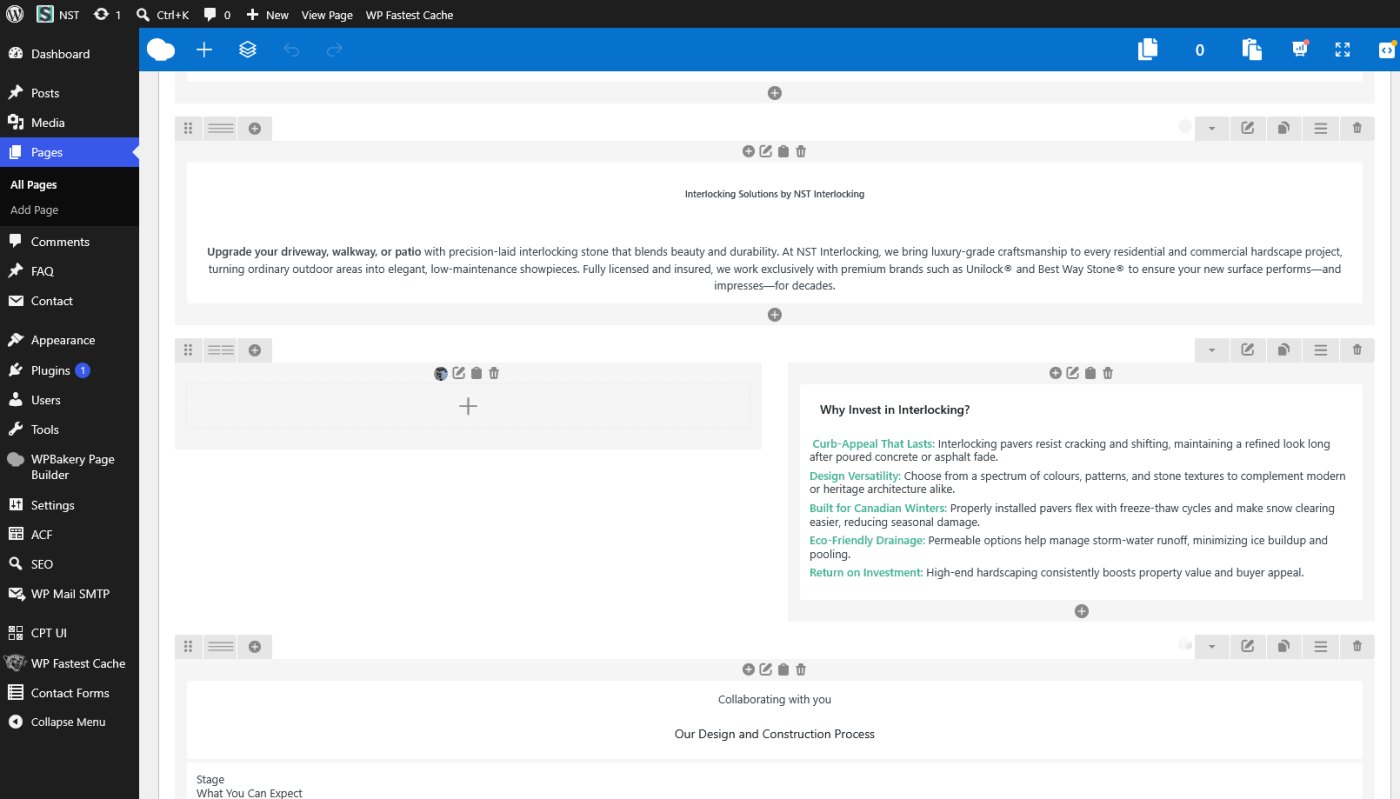
So why WPBakery over the alternatives? Two things matter most: how easy it is for the client to use, and how flexible it is when a project needs something custom. The editing experience is straightforward, so clients can update content without fear of breaking the design. And when a project needs something unique, we can build custom WPBakery components, extending the builder to meet almost any requirement. WPBakery gives us the balance we want: an easy client experience, deep customisation and a mature platform we've maintained for years.
The page builder is the tool, not the outcome. What matters is that the site looks intentional, performs well, and doesn't need a developer for every small change. WPBakery, used carefully, gets us there consistently across the range of sites we build. It's also worth knowing that WPBakery includes many of the components businesses ask for - carousels, tabs, accordions, grids, and call-to-action blocks are built in, so they don't need a separate plugin at all.
 Our page builder of choice
WPBakery Page Builder
The visual builder behind most of our client sites. It gives us tight control over a custom layout while leaving clients a safe, familiar way to edit content. It also bundles carousels, tabs, and grids, so we skip a pile of extra plugins.
Custom WordPress: designed to look right and work right
This is where a good WordPress build really separates itself, and it happens on two fronts: how the site looks, and how it works. A custom theme handles the first. Custom post types and ACF handle the second.
The custom theme: how it looks
This is the answer to the “it'll look generic” fear. An off-the-shelf theme is a costume that never quite fits; you bend your brand to the template's assumptions and end up looking like everyone else who bought it.
A custom theme is the opposite. The design is built around your brand and your content, so the site looks intentional, loads only what it needs, and is structured for the way you'll actually manage it. You get the flexibility and familiarity of WordPress underneath, with a front end that's clearly your own on top.
A custom theme is also where brand consistency lives. Your fonts, colours, logo, spacing, and buttons are set deliberately and applied across every page. That same look can carry through to email templates, print, and social - so the website doesn't look like it came from a different company than everything else you put out. And it won't be a theme that thousands of other businesses also bought.
Custom post types and ACF: how it works
Looks are only half of it. Out of the box, WordPress handles pages and posts, but a business often needs more than that. Using custom post types and Advanced Custom Fields (ACF) together, we build content structures shaped around what you actually do, whether that's properties, case studies, events, products, or locations.
This is what lets the site work the way you work, supporting your own processes and ideas. It's how we build filterable directories, resource libraries, catalogues that feed several pages, and content that connects to other content. The result is less a brochure and more a small application built around your business, with everything stored as clean, structured data you own.
What WordPress looks like when it's built properly
Here's the part that gets lost. The same platform a beginner uses for a hobby site is what professionals use to build serious, high-traffic sites. What separates the two isn't the tool; it's the expertise behind it.
A professional build doesn't start by picking a theme and installing plugins until something works. It starts with a custom design, a carefully chosen set of plugins, proper security, and a clear plan for how the site needs to perform. That's the difference between assembling a site and building one, and we apply the same approach to a small local business as we do to a larger organisation.
In practice, most of the work is decisions, not clicks. We start from a custom design and bend the tools to fit it, not the other way around. Every plugin is chosen deliberately, restyled to match the brand, and configured to do its one job without dragging performance down. And where the right tool doesn't exist, we build it. A lot of our development time goes into custom components, so the site does exactly what you need and stays easy for your team to manage day to day. The pieces are tested together, and the parts that must stay consistent are locked down, so an everyday edit can't break the site.
A visitor won't notice any of this. The site just feels fast, coherent, and intentional. The business that owns it notices later - when the site is still performing well two years after launch, looks the same as it did on day one, and doesn't need a rebuild every time something changes. The platform was the same all along. The difference is what was done with it.
That's the standard we hold on every build, whatever the size of the business. The four projects below are a small sample of the WordPress sites we've delivered for real organisations with real stakes.
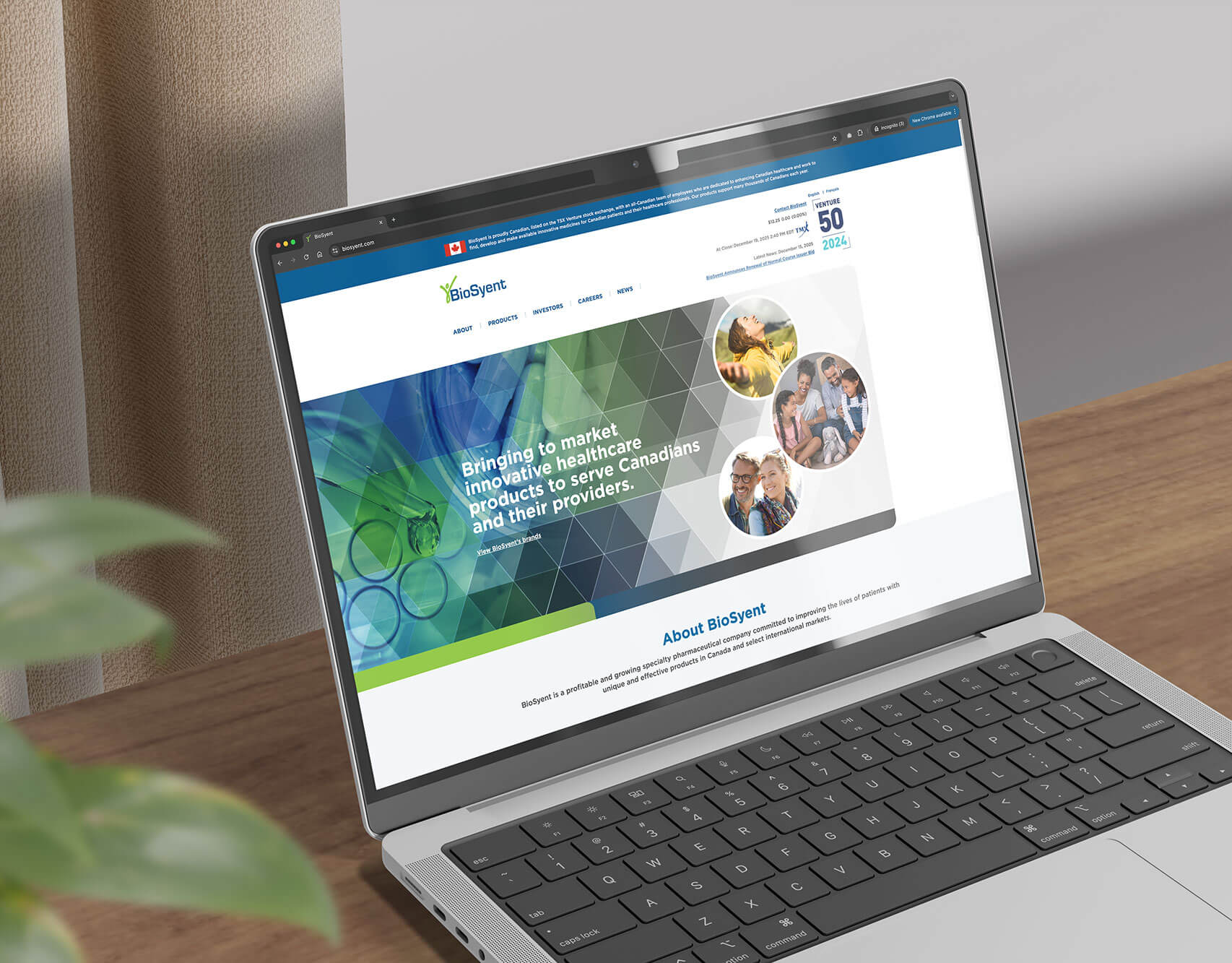
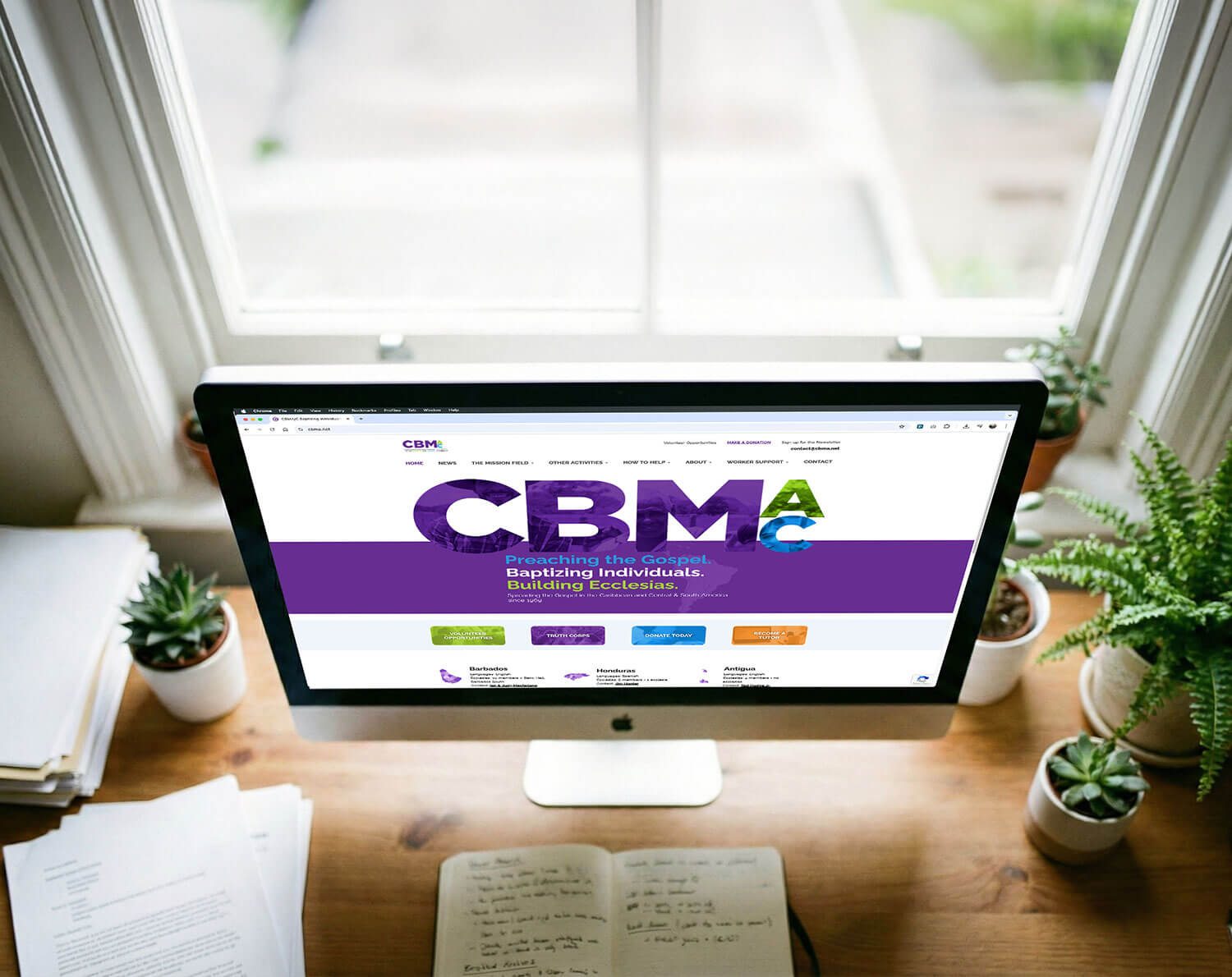
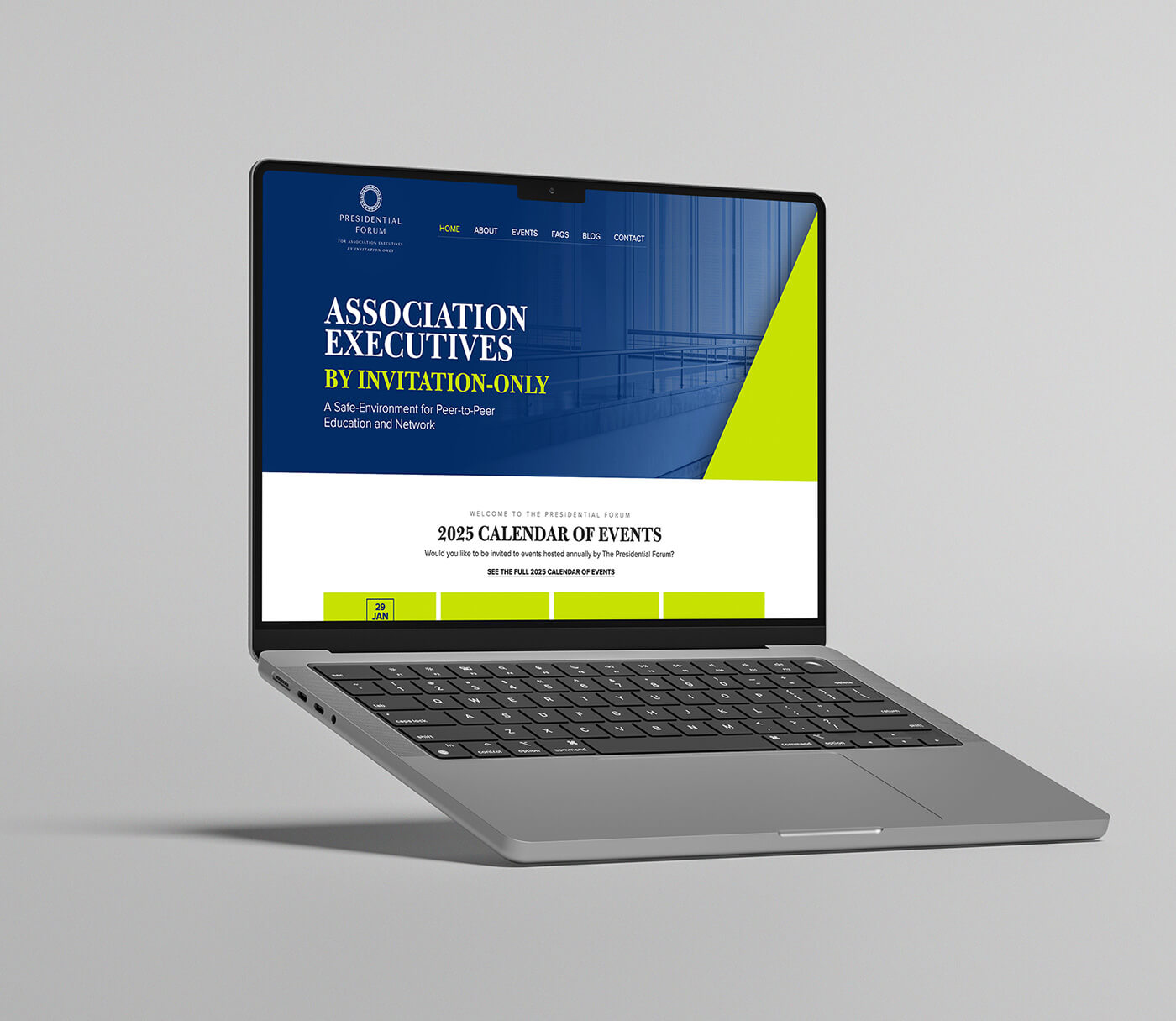
Corporate, nonprofit, association, ecommerce: different goals, one platform, each built as a custom theme rather than a template. Because we design, build, and host on WordPress ourselves, the brand, the SEO, the store, and the hosting come from one team instead of being stitched across vendors.
And it puts our clients in good company. Some of the world's biggest brands run on WordPress too:
Names you'd never call “cheap” run on WordPress
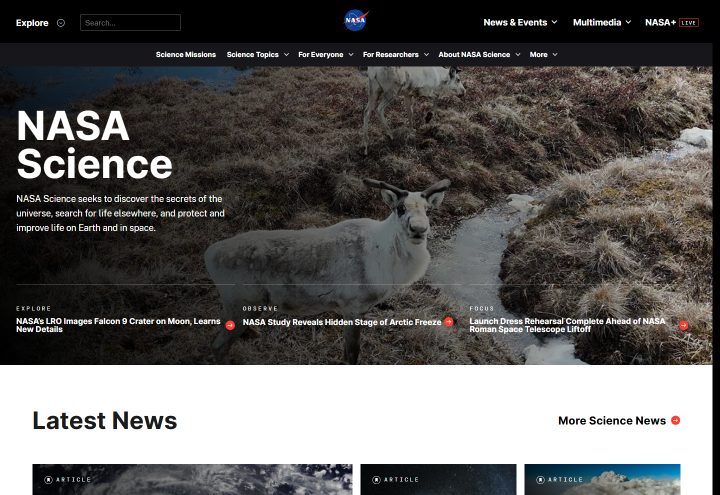
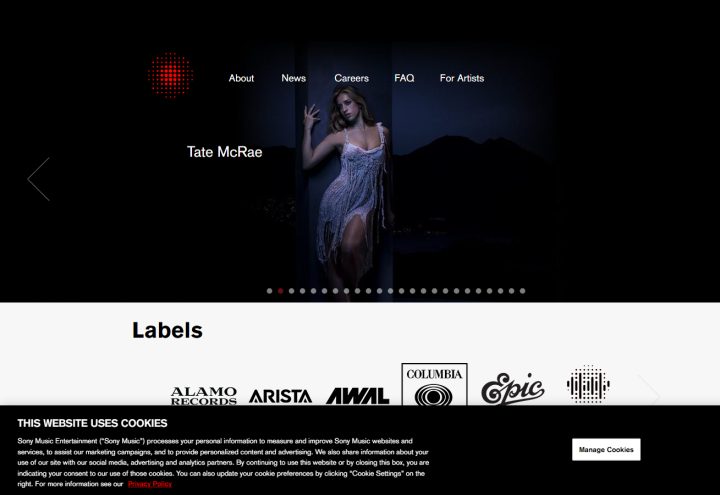
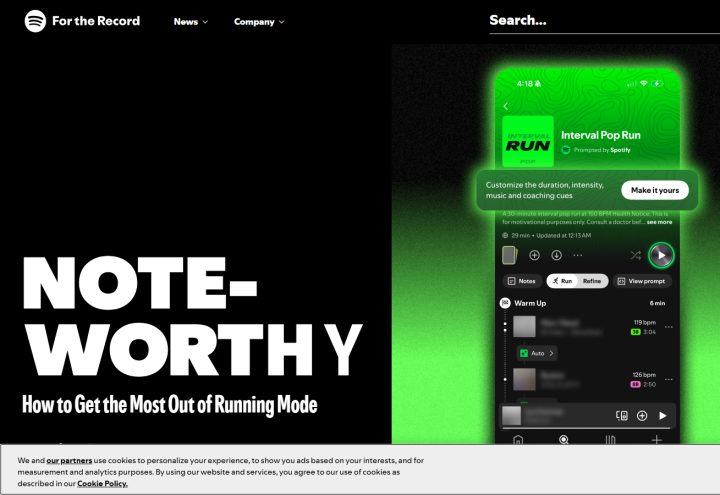
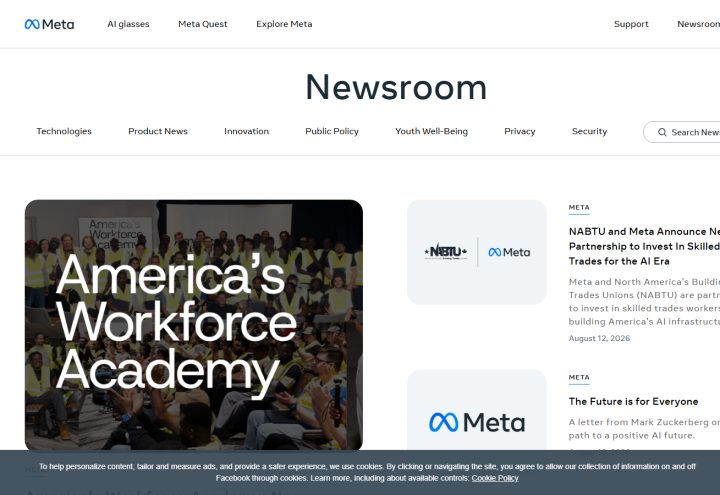
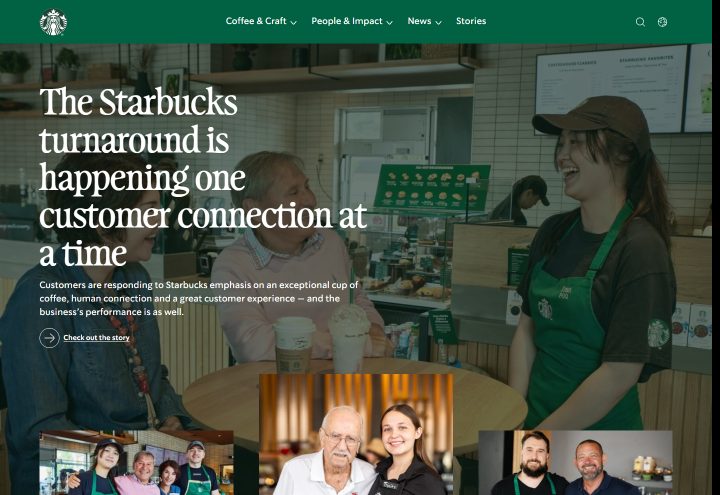
WordPress isn't just for small business. Through WordPress VIP and standard installs, it powers the White House, on WordPress since 2017 in a switch reported to save taxpayers millions a year. It also runs NASA, Sony Music, the Rolling Stones, the Spotify Newsroom, the PlayStation Blog, Meta's newsrooms, and Starbucks. If the platform is good enough for government, global media, and NASA, “amateur” is the wrong word for it.



When WordPress isn't the right fit (and what we use instead)
We build about 90% of our sites on WordPress - which means roughly one in ten we don't. Recommending the right tool matters more than defending a favourite, so here's when we'd point a client elsewhere.
High-volume ecommerce where hosted infrastructure wins. WooCommerce is excellent, but some stores are better served by a dedicated platform like Shopify. That fits when the priority is out-of-the-box payment, shipping, tax, and PCI-compliant checkout infrastructure that someone else fully manages, more than deep design control. We've built on Shopify when it was the better call, from our HUSSSH Health store to the Academy of Veterinary Imaging.
A bespoke web application, not a content site. When a project is really custom software - complex user logic, dashboards, calculators, unusual data models - it wants a proper application framework, not a CMS stretched to imitate one. We reach for something like Laravel or our own custom PHP framework there. Our La Biblia learning platform and Church Finder directory are custom builds because their processes were different enough from a normal website that a bespoke solution simply fit better. They wouldn't have leaned on WordPress's strengths, and what they needed was custom logic that no plugin already provided.
When you want total control (like we did for our own site). Sometimes the goal is to own every byte. This very site is bespoke, hand-built rather than run on WordPress, because we wanted 100% control over the design, the SEO, and the speed. We had the skills to create and maintain the source code, and we were willing to spend the time. The result does exactly what it needs to and carries nothing it doesn't.
A tiny, static, rarely-updated site. If there's genuinely no content to manage, say a small, one-page site that will almost never change, a lightweight static build can be cheaper and simpler to run. There's nothing to update or maintain.
An existing stack or mandate that rules it out. Sometimes an organisation's IT policy, security requirements, or an existing platform contract already decides the technology. In that case the right move is to work with the constraint, not fight it.
None of this makes WordPress the wrong choice - it makes it a choice. For the large majority of business websites, it's still the right one. The real value is having someone who will tell you which camp you're in before the build starts, not after.
So, is WordPress still worth it in 2026?
Yes, for most business websites. Not because it's the default, and not because nothing else is any good, but because it still does the job better than most alternatives for what a typical business actually needs. A design that's entirely your own, a system you can manage without calling a developer every time, strong SEO and ecommerce built in, and no single company holding your site hostage.
Most of the hesitation around WordPress is based on reputation that hasn't kept up with the platform. The scale is real protection, not a marketing stat. And when another platform is genuinely the better call, we'll say so. If you're weighing your options for a new site or a redesign, we're happy to tell you plainly what makes sense for what you're actually trying to do.
Learn more about our WordPress design and development, or explore the wider range of website services.
Thinking about WordPress for a new site or a redesign? Tell us what you're building, and we'll help you work out the right platform for it.
+1.705.726.0990 or info@fifthandmissing.com
Start your WordPress project →Sources & Further Reading
WordPress still runs more than 40% of the web in 2026 because it keeps doing the job. Custom-designed, manageable, built for SEO and ecommerce, and genuinely yours with no lock-in. The fears - generic, cheap, insecure, dying - haven't aged well. It isn't right for every project, but for most business websites it's still the right starting point.