
WordPress page builders compared: 5 ways to build your website.
The Block Editor, the Classic Editor, Divi, Elementor and WPBakery all end up producing a WordPress page. How they get there is very different, and so is what each one is like to live with once your site is online. Here's where each one came from, what the user experience is like, how they score side by side, and which one we recommend.
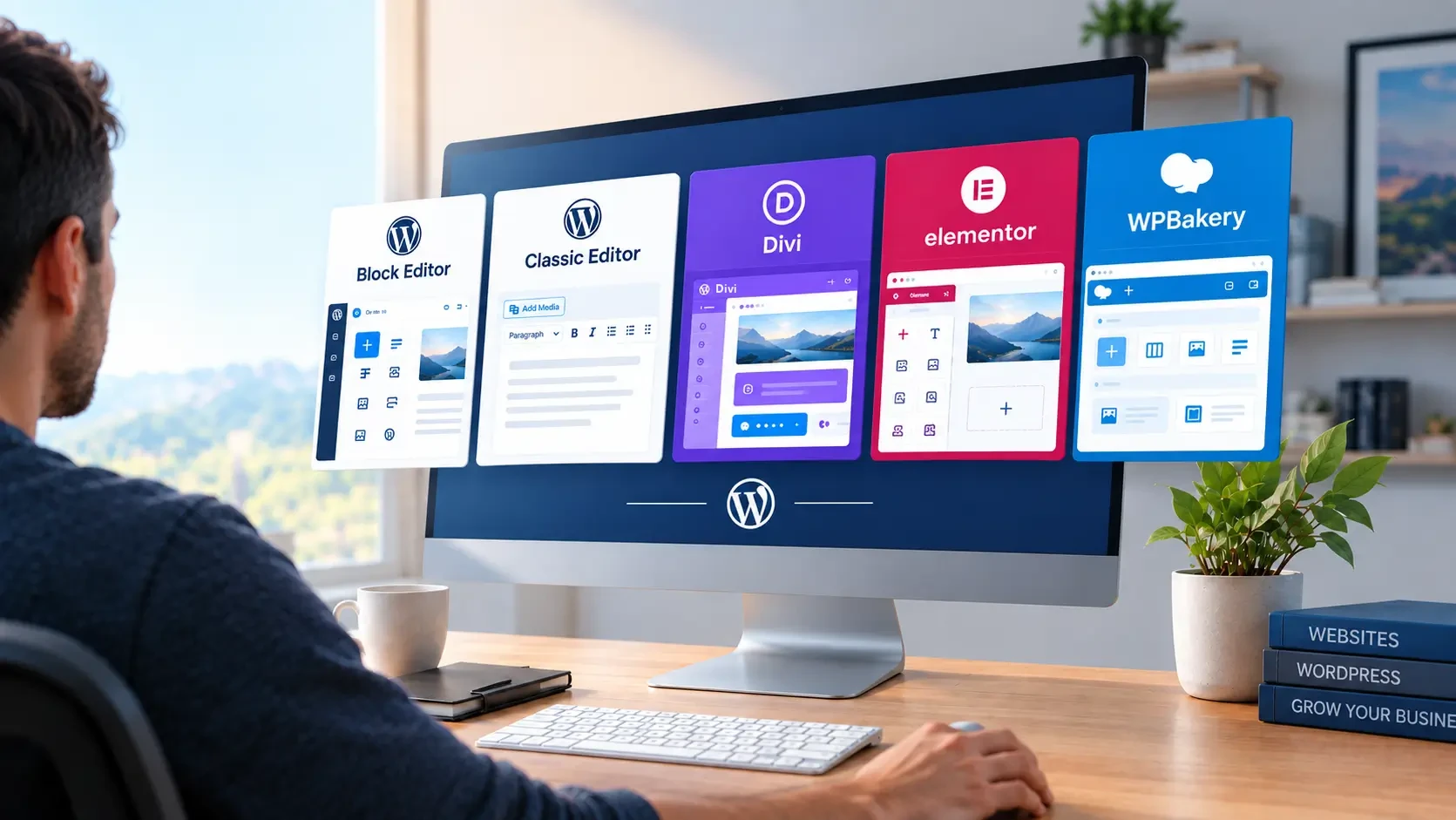
Choosing a page builder is one of the first decisions on a WordPress project. It shapes design quality, how fast the site loads, and how comfortable you'll be editing it.
What is a WordPress page builder?
WordPress keeps your content in a database, and a theme decides how it looks. A page builder sits between the two. It's the screen you use to lay out a page and edit what's on it, such as sections, columns, headings, images, buttons and forms, without writing code. Depending on the builder, you either arrange those pieces visually on the page or fill them in through simple forms.
Strictly speaking, not all five here are page builders. The Classic Editor is WordPress's original text editor, and the Block Editor is the one WordPress comes with today, which has grown into a builder of its own. Divi, Elementor and WPBakery are plugins added on top of WordPress. We've included the two built-in editors because plenty of business sites run on them, and because they're the obvious alternative to adding a builder at all.
How a builder is set up matters as much as which one you pick. A developer can hand you a builder full of generic settings, or one where each part of the page is a custom piece that only asks for your content. Most of the difference in what it's like to edit your site comes from that choice, and it's why the same builder can feel easy on one site and frustrating on another.
Who this comparison is for
A note on our own pick
Full disclosure: most of our client sites run on WPBakery. The scores aren't based on that preference. We scored each builder on what really matters, following years of experience and customer feedback.
We've written this for the person who looks after the site once it's built. We assume that's you: you won't design the site yourself, and you'll mostly change text, images and links, and now and then add an item to a list, like a new team member or FAQ. Whatever you change has to look right on phones and tablets too, without extra work.
We also assume each site is built by a capable WordPress developer using the builder the way a professional would: custom blocks for the Block Editor, custom fields with the Classic Editor, Elementor Pro, and custom components for WPBakery. We cover the five in alphabetical order, then score them side by side and hand out a few awards.
If you're still deciding whether WordPress is the right platform in the first place, start with our look at WordPress in 2026.
Block Editor (Gutenberg)
Block Editor awards
- Great design9/10 for delivering an elaborate design exactly as approved
- Fast pages9/10 for page speed
- SEO-friendly9/10 for clean, well-structured page code
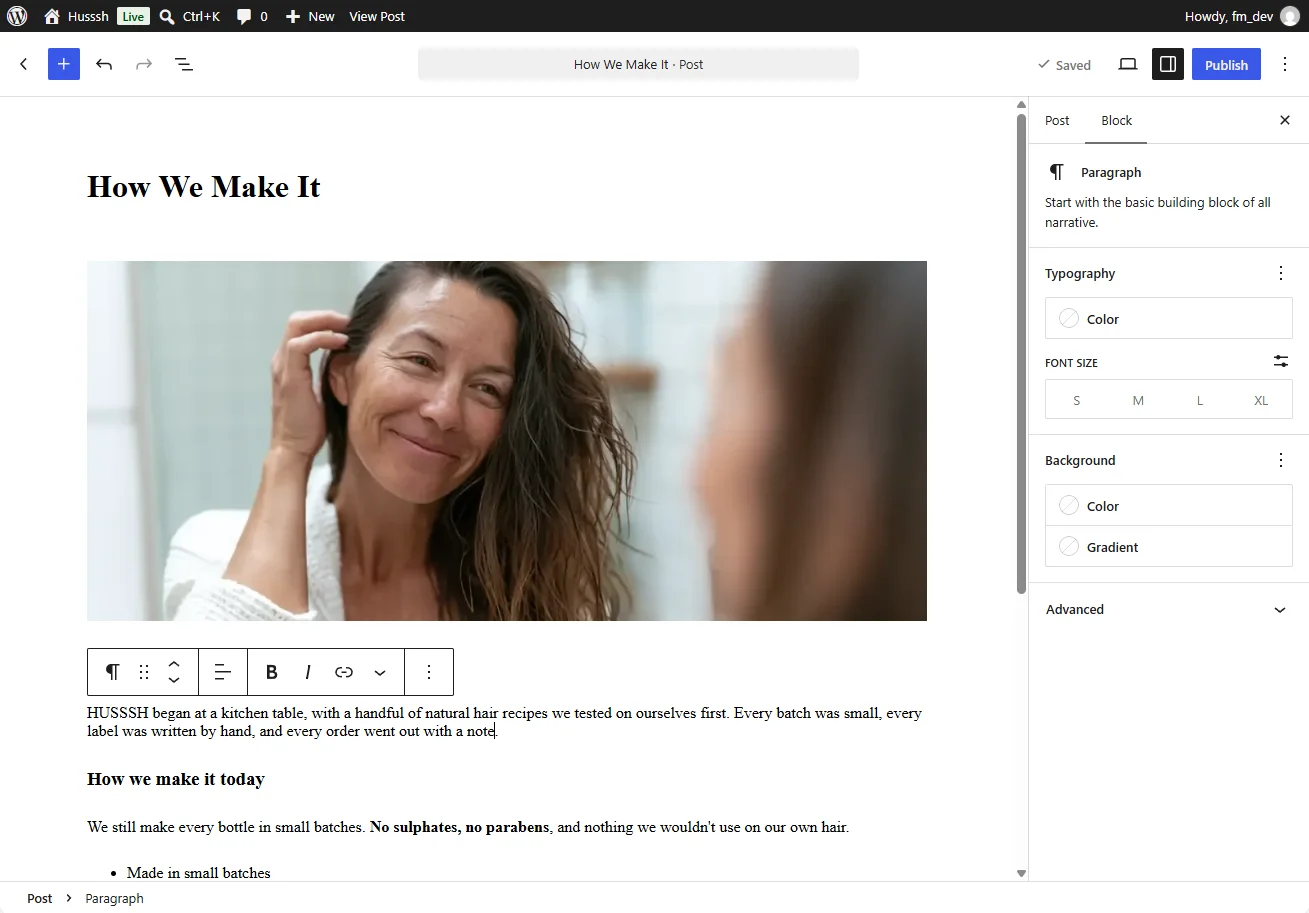
 The Block Editor is the editor that comes with WordPress. It was developed under the project name Gutenberg (after Johannes Gutenberg and his printing press) and replaced the old editing screen in WordPress 5.0, released in December 2018. The launch was rough. Many long-time users and developers pushed back hard, which is why the Classic Editor plugin exists at all. Since then it has grown from a post editor into a full site editor: WordPress 5.9 in January 2022 let you edit headers, footers and templates with blocks too, and WordPress 7.0, released in May 2026, brought further editor and admin improvements. Real-time collaboration, Google Docs-style, was meant to headline 7.0 but was pulled a few weeks before release and moved to a future version. It's where WordPress itself is putting all its effort, so new features land here first, and most new plugins and themes are built with it in mind. On a professionally built site, the developer usually adds custom blocks for the site's own sections, so you fill in content rather than style it.
The catch is the editing screen. Your text sits on the page, but a block's settings live in a sidebar, and selecting the right block inside nested groups takes practice. It's quicker than it looks once you know it, but it takes longer to get comfortable with than the forms of a WPBakery or Classic Editor site.
| Pros | Cons |
|---|---|
|
|
Official site: wordpress.org/gutenberg
Classic Editor
Classic Editor awards
- Fast pages10/10 for page speed
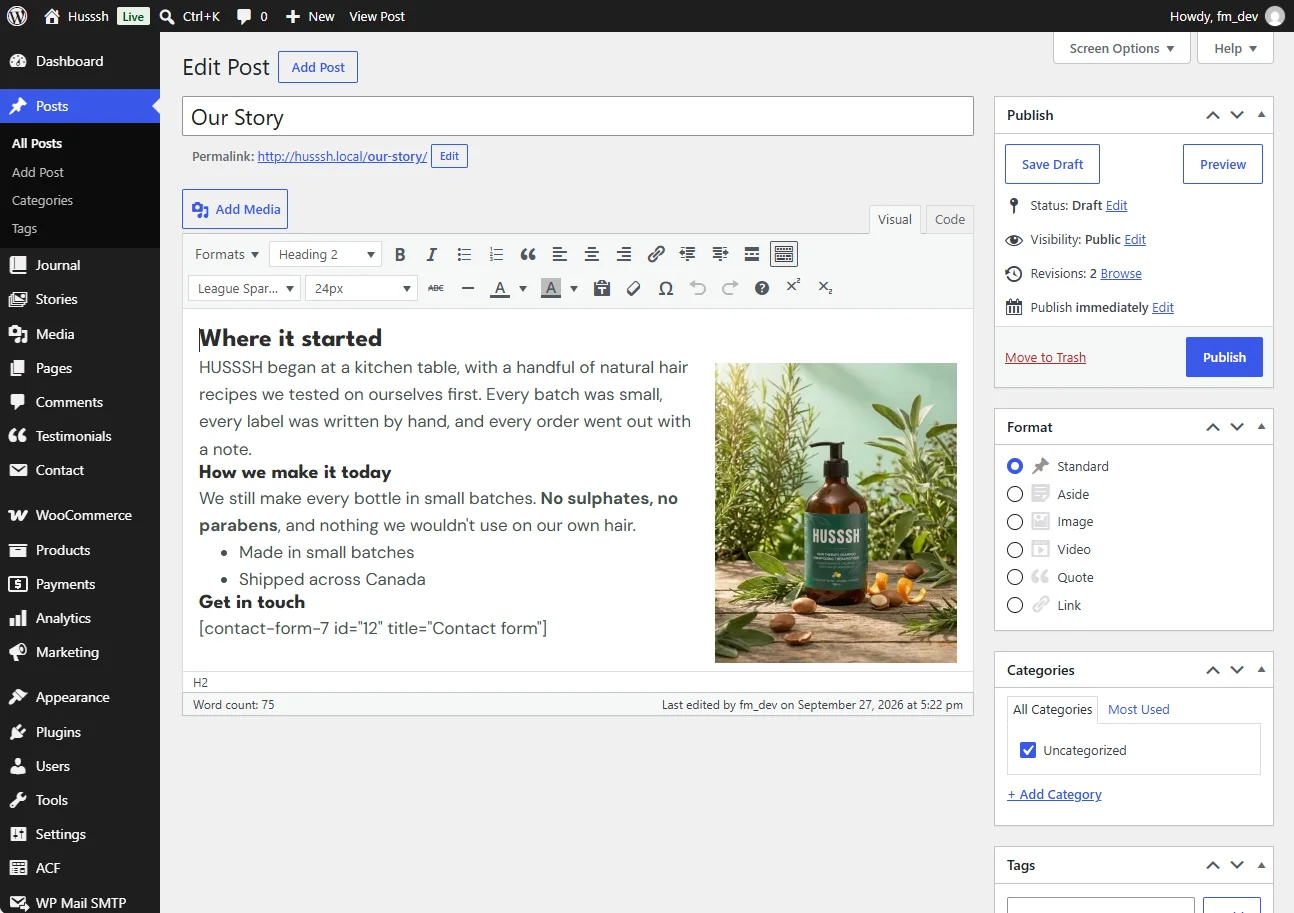
The Classic Editor isn't a page builder. It's the single text box with a toolbar that WordPress used for its first fifteen years, kept alive by an official plugin from the WordPress team. The plugin appeared in late 2017, while the Block Editor was still in development, as a way for sites to keep the old screen when 5.0 arrived. It was supposed to be a bridge: the original promise was support until the end of 2021. That was extended, and the plugin page now says it will be maintained "until 2024, or as long as is necessary." It was last updated in May 2026. Most of the sites still using it are older ones, sites built on themes that expect it, or teams that write long text content and never wanted blocks. Layouts on those sites usually come from the theme or from shortcodes, not from the editor.
That's what limits it to simple sites. Everything you edit lives in one long block of text, so a page can't be much more than text and images unless a developer builds a fixed layout for it. Anything richer or more varied goes back to the developer, and editing inside that long block is easier to get wrong than it looks.
| Pros | Cons |
|---|---|
|
|
Official site: wordpress.org/plugins/classic-editor
Divi
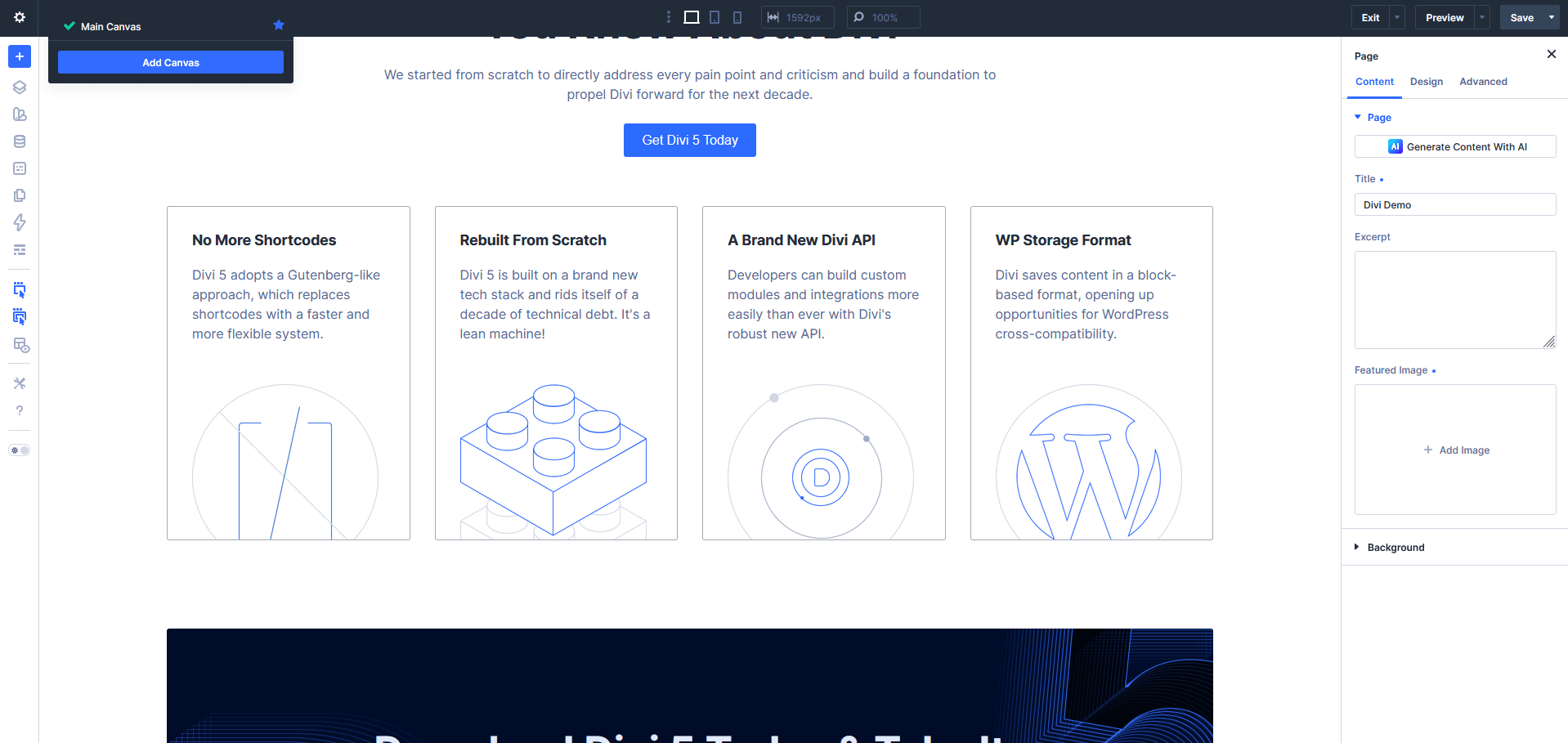
 Divi is made by Elegant Themes, a company Nick Roach started in 2008 selling WordPress themes. Divi launched in 2013 as a theme with a built-in drag-and-drop builder, and the builder was later sold as a standalone plugin too. It grew on a simple pitch: one membership, every design tool, unlimited sites. That made it a favourite of freelancers and small-business owners building their own sites. In February 2026, after a long public alpha and beta, Elegant Themes released Divi 5, a ground-up rewrite aimed at the speed and code-quality complaints that followed Divi 4 for years. Divi 4 got six months of critical fixes after the launch.
For an owner, keeping a Divi site on-brand is the hard part. Every module has its own colour, font and spacing settings, often set separately for desktop, tablet and phone, and those hand-set values override the site's global styles. Over time pages drift from the brand, and a rebrand means hunting down every stray value page by page.
| Pros | Cons |
|---|---|
|
|
Official site: elegantthemes.com/gallery/divi
Elementor
Elementor Pro awards
- Best if you design it yourselfThe most visual editor, with the biggest pool of templates, tutorials and freelancers
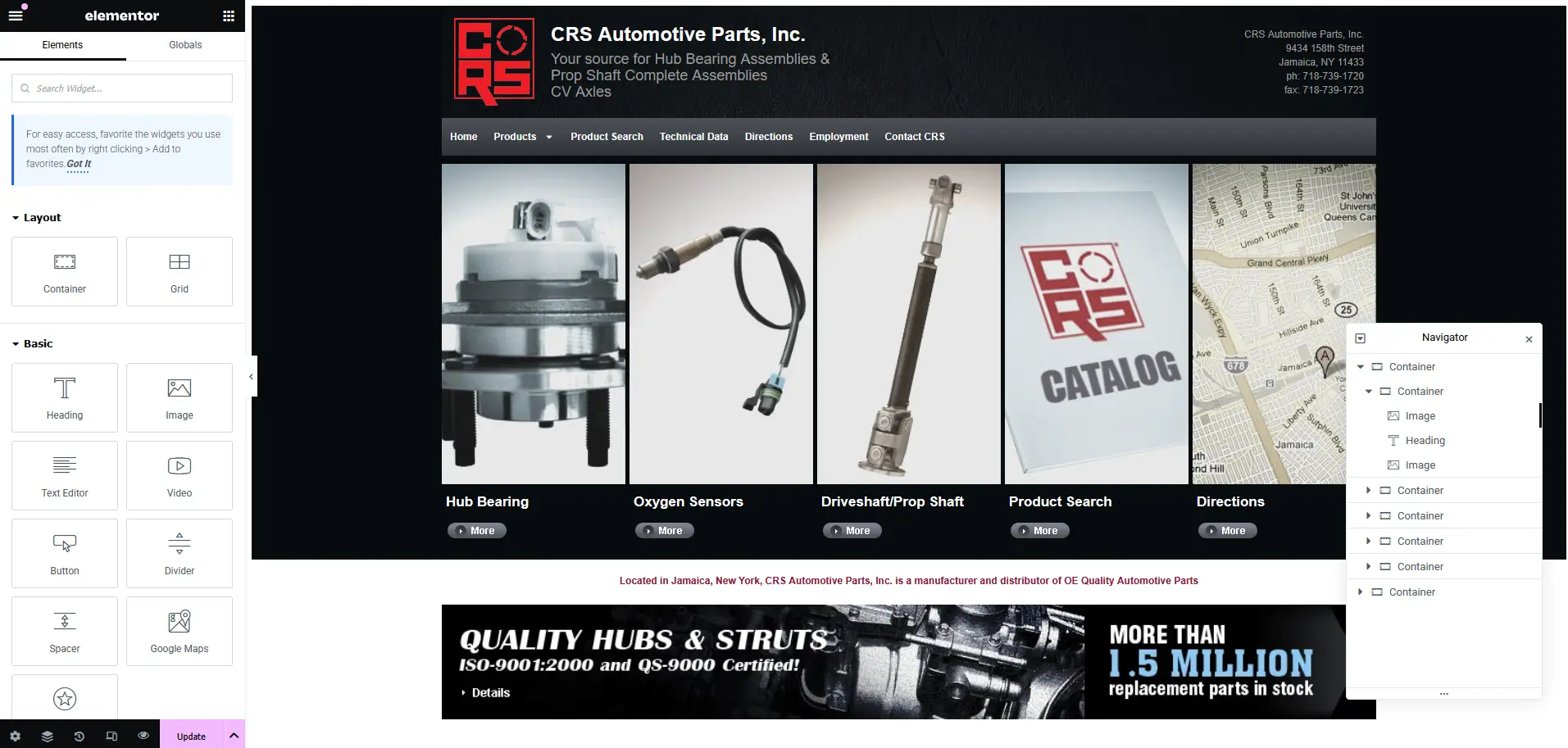
 Elementor was founded in 2016 in Israel by Yoni Luksenberg, Ariel Klikstein and Yakir Sitbon. Its free plugin went up on WordPress.org in May 2016, and the timing was good. The WordPress editor was still the Classic Editor, the Block Editor was two years away, and Elementor offered what most people wanted: drag something onto the page and see exactly how it will look. A free version that did most of the job, with a paid Pro version for theme building, forms and pop-ups, turned it into the default choice for a lot of people building their first site. In March 2026 the company released Elementor 4.0, which rebuilt the editor around reusable variables, classes and components (it calls this the Atomic Editor). It has been the default for new sites since April 2026. No other builder has grown as fast over the past six years, and none comes close to its size.
For an owner, maintaining an Elementor site is the hard part. Content ends up spread across pages, Theme Builder templates, components, pop-ups and add-on packs, and many sizes and spacings are set per device. Changing one thing means first finding where it lives, then checking it on three screen sizes.
| Pros | Cons |
|---|---|
|
|
Official site: elementor.com
WPBakery Page Builder
WPBakery awards
- Best overall pickHighest total: 110 out of 130
- Easy to use8.5/10 for learning, editing, adding and not breaking things
- Great design9/10 for delivering an elaborate design exactly as approved
- Fast pages8/10 for page speed
- SEO-friendly8/10 for clean, well-structured page code
- Hassle-free8/10 for staying trouble-free, hard to break and easy to hand over
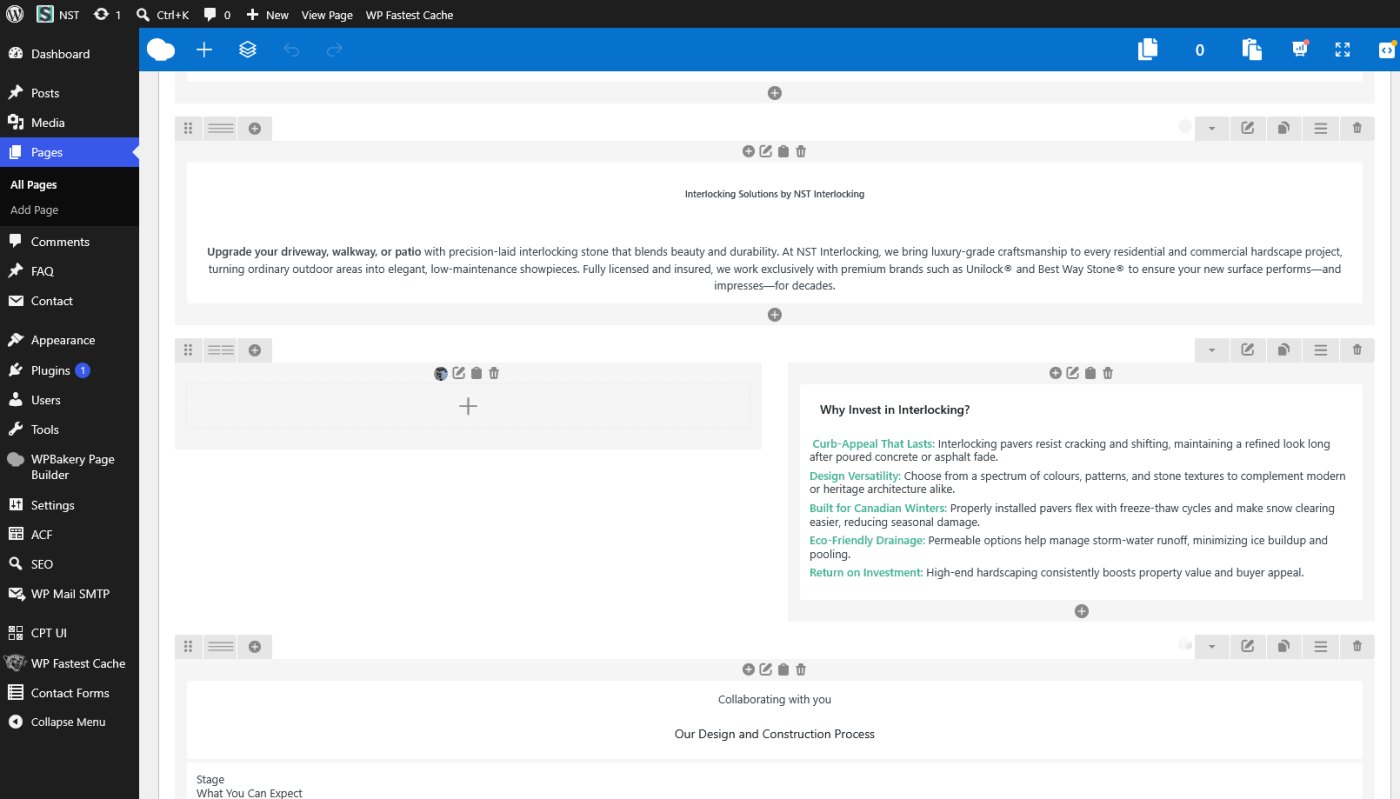
 WPBakery is the oldest builder here. It launched in 2011 as Visual Composer, sold on Envato's CodeCanyon marketplace, and it was one of the first tools to give WordPress a proper row-and-column layout editor. Its real growth came through ThemeForest: premium theme authors licensed it and bundled it with their themes, so a very large number of sites got Visual Composer without anyone choosing it directly. In late 2017 the developers launched a separate product and Envato's licensing rules meant the two couldn't share a name, so the original plugin was renamed WPBakery Page Builder. The Visual Composer name went to the new product. That bundling history is why it still turns up on so many older sites, and it's also where its reputation for being clunky comes from: most people met it through a theme that exposed every setting at once. Built with custom components, where each part of the page only asks for its content, it's a very different tool to edit. It's still sold as a one-time license, not a subscription, which is rare now.
Built with custom components, it's easy to maintain because you only ever fill in content: text, images, links and new list items, with the design and every screen size handled inside the component. It stays hassle-free because WPBakery's own updates rarely touch those components, so the site keeps working the way it did on launch day. The catch is that all of this depends on the developer. Many sites get WPBakery bundled with an off-the-shelf theme instead. Without custom components, you see every setting at once and get none of these benefits.
| Pros | Cons |
|---|---|
|
|
Official site: wpbakery.com
Other WordPress builders worth knowing
Two smaller builders come up often enough to mention. Beaver Builder has a loyal agency following for being stable and conservative. Bricks is still small but growing fast, mostly among developers who care about clean output and performance. Neither has the reach of the five above. Either can be the right tool in the right hands, but it's harder to find another developer to take over a site built on them.
Bilingual and multilingual WordPress sites
If you sell into Quebec or serve customers in both official languages, your site probably needs to be in English and French. On WordPress that usually means WPML, the most widely used translation plugin, and it works with all five builders here. What changes is how smooth it is day to day.
With the Block Editor, WPML handles WordPress's own blocks out of the box. With WPBakery custom components or Classic Editor custom fields, the developer registers each component once, and from then on translators see only the text while the layout carries over to the second language untouched. Divi 5 and Elementor 4 are both supported, but WPML has spent this year catching up with their new versions, and a few gaps are still open. On Elementor sites, templates, add-on packs and separate desktop and mobile versions of a section can also mean translating the same thing more than once.
Side-by-side comparison
The scores are ours, based on building and maintaining sites on all five, and they assume the owner and the professional build described at the top. The total gives a quick overall picture, but weigh the rows that matter most to you. If you'll be the one updating the site every week, the first three rows count for more than the rest.
| Block Editor | Classic Editor | Divi | Elementor Pro | WPBakery | |
|---|---|---|---|---|---|
| Quick to learn | 6/10 | 7/10 | 4/10 | 3/10 | 9/10 |
| Easy to change existing content | 7/10 | 6/10 | 4/10 | 4/10 | 8/10 |
| Easy to add a new item or small section | 7/10 | 3/10 | 3/10 | 3/10 | 9/10 |
| Hard to break the design by accident | 7/10 | 4/10 | 5/10 | 4/10 | 8/10 |
| Delivers a rich design exactly as approved | 9/10 | 4/10 | 6/10 | 6/10 | 9/10 |
| Works with your other plugins | 9/10 | 4/10 | 6/10 | 7/10 | 9/10 |
| Works well with multilingual (WPML) | 9/10 | 8/10 | 6/10 | 6/10 | 8/10 |
| Light refresh (logo, colours, fonts) | 9/10 | 8/10 | 5/10 | 5/10 | 9/10 |
| Page speed | 9/10 | 10/10 | 7/10 | 6/10 | 8/10 |
| SEO-friendly page code | 9/10 | 7/10 | 6/10 | 6/10 | 8/10 |
| Cost | 10/10 | 10/10 | 9/10 | 6/10 | 9/10 |
| Easy for another developer to take over | 7/10 | 8/10 | 6/10 | 5/10 | 8/10 |
| Trouble-free for the next 5 years | 6/10 | 4/10 | 7/10 | 6/10 | 8/10 |
| Total (out of 130) | 104 | 83 | 74 | 67 | 110 |
Cost is scored 10 for free, 9 for a one-time price, and 3 to 6 for a yearly subscription depending on the price. Divi scores 9 because of its $249 lifetime license. Elementor has a free version, but most professionally built Elementor sites need Pro, from $49/year. WPBakery is $82 once per site. For context on how widely each builder is used, HTTP Archive data for April 2026 puts Elementor on 32.67% of WordPress sites, the Block Editor on 20.62%, WPBakery on 8.52% and Divi on 5.72%, and the Classic Editor has more than 8 million active installs on WordPress.org. Trouble-free for the next 5 years is how likely a site built today gets through the typical life of a website without the builder forcing a rebuild, a migration or a support problem.
Our awards
WPBakery
The highest total in our table, 110 out of 130. With custom components it's the easiest for you to learn and update, it delivers the approved design exactly, and it's the least likely to cause problems over the life of the site.
Badges
| Badge | What it means | Earned by |
|---|---|---|
| Easy to use | Quick to learn, quick to update, and hard to get wrong | WPBakery |
| Great design | Doesn't get in the way of an elaborate design | Block Editor, WPBakery |
| Fast pages | Loads quickly for your visitors | Block Editor, Classic Editor, WPBakery |
| SEO-friendly | Clean page code that search engines read easily | Block Editor, WPBakery |
| Hassle-free | Few surprises over the life of the site | WPBakery |
| Best if you design it yourself | The most visual editor, for people who design their own pages (not scored in our table) | Elementor Pro |
Which WordPress page builder should you choose?
There are two clear winners, WPBakery and the Block Editor, and we choose WPBakery for its stability. The Block Editor changes with almost every WordPress release, and custom blocks need regular updates to keep up. WPBakery changes slowly, and custom components keep working the way they did on launch day. That's why Fifth and Missing builds most client sites with WPBakery and custom components. We design the site, build or reuse the components it needs, and hand over an editor where you update text, images and links and add new items to lists, without being able to knock the layout out of shape. We explain the reasoning in more detail in our look at WordPress in 2026.
Common questions
What is a WordPress page builder?
It's the tool you use to lay out and edit the pages of a WordPress site, such as sections, columns, images and buttons, without writing code. WordPress comes with its own, the Block Editor, and plugins like Divi, Elementor and WPBakery add their own. How the developer sets it up decides how easy it is for you to use.
Will I be able to update the site myself?
Yes, with any of the five, but how easy it is varies a lot. If a developer builds the site with custom components or custom blocks, you mostly fill in text, images and links, and the design takes care of itself on every screen size. On Elementor and Divi you edit on the page itself, but you have more settings to find your way through, and changes often need checking on desktop, tablet and phone.
What is the most popular WordPress page builder?
Elementor, by a wide margin. HTTP Archive data from April 2026 detects it on about a third of WordPress homepages, and its free plugin shows 10+ million active installs on WordPress.org, the highest figure the directory displays. The Block Editor comes second, followed by WPBakery and Divi.
If Elementor scores so low, why is it the most popular builder?
Because most people who use it design their own sites, and our scores are for owners who leave the design to a developer. Elementor needs no code at all: you drag, drop and adjust until it looks right. It was also the first free visual builder when WordPress had nothing like it, and it's at its best in the first hour, which is when most people choose. The problems we score show up later, over the life of the site.
Can I switch page builders later?
Yes. How much work it is depends on where you're moving from and to, and on how well the developer knows both. A site built from well-organised custom components can often be converted with a script, while a page-by-page Elementor or Divi build usually means rebuilding the layouts. Most sites are redesigned after about five years anyway, and that's the natural time to change.
Is the Classic Editor going away?
Not yet. WordPress.org still describes it as supported "until 2024, or as long as is necessary," and it was last updated in May 2026. With more than 8 million active installs it's hard to retire, but it isn't getting new features, and new WordPress development all goes into the Block Editor.
Can my site be in English and French?
Yes. WPML, the most widely used WordPress translation plugin, works with all five builders: you translate each page and the design carries over. The Block Editor is the smoothest, with WPBakery custom components and the Classic Editor close behind. Divi 5 and Elementor 4 are supported too, but WPML has still been closing gaps in their newest versions this year.
Do page builders hurt SEO or page speed?
They can. Search engines read your page's code, and builders that wrap everything in layers of extra code, or pick headings for how they look rather than what they mean, make that harder. They also affect speed, which Google measures. In our scoring, the Block Editor and WPBakery with custom components produce the cleanest code, while Elementor and Divi add the most. A site stacked with add-ons and oversized images, or on cheap hosting, will be slow on any of them. Clean code with proper headings also helps visitors who use screen readers.
Which page builder should a small business use?
It depends on who designs the site and who edits it. If you'll design and rearrange pages yourself, Elementor or Divi give you the most visual control. If a developer designs and builds it and you mainly update content, WPBakery with custom components or the Block Editor with custom blocks keeps editing simple and the design safe.
Sources & Further Reading
- GravityKit: WordPress page builder market share 2026 (HTTP Archive, April 2026)
- WordPress.org: Classic Editor plugin
- WordPress.org: Elementor plugin
- Search Engine Journal: WordPress 7.0 will ship without real-time collaboration
- Elegant Themes: Divi 5 official release date
- Elementor: Introducing version 4.0
- WPBakery: WPBakery Page Builder vs Visual Composer Website Builder
- WPML 4.9.1: compatibility with Divi 5, Elementor and more
- WPML: Elementor V4 missing feature support
- WPML: Translate custom shortcodes with WPML
Elementor is the most popular builder, but it scores lowest for an owner who only updates content. If a developer designs and builds your site and you mainly keep it up to date, WPBakery with custom components and the Block Editor with custom blocks score best: simple editing and a design that matches what you approved.
Planning a new WordPress site, or wondering whether the one you have is built on the right foundation? See our WordPress design work and web design in Barrie, or tell us about your site and we'll give you a straight answer.
Glossary: the terms in this article
- Plugin
- An add-on you install in WordPress to give it new features, such as a contact form, a translation tool or a page builder like Divi, Elementor or WPBakery.
- Theme
- The part of a WordPress site that controls how it looks: layout, colours, fonts and the templates your content is shown in.
- Shortcode
- A short piece of code in square brackets, like [contact-form-7 id="12"], that a plugin turns into a form, gallery or other element on the page.
- Custom component
- A WPBakery element a developer builds for your site, such as a team member or FAQ, that only asks you for the content and handles the design itself.
- Custom block
- The Block Editor's equivalent of a custom component: a block built for your site that asks for content while the developer's code controls the design.
- Custom fields
- Simple form fields, like name, photo and bio, that hold structured content outside the main text box, often used with the Classic Editor.
- Template (Theme Builder)
- A layout that applies to many pages at once, such as the header, footer or blog post layout. Elementor and Divi manage these in a tool called the Theme Builder.
- Per-device settings (responsive design)
- Separate sizes, spacing or visibility for desktop, tablet and phone. Useful for designers, but each change may need checking three times.
- Add-on pack
- A third-party plugin that adds extra widgets to a builder, most common with Elementor. Each one brings its own settings and updates.
- WPML
- The most widely used WordPress plugin for multilingual sites, used to run a site in English and French, for example.