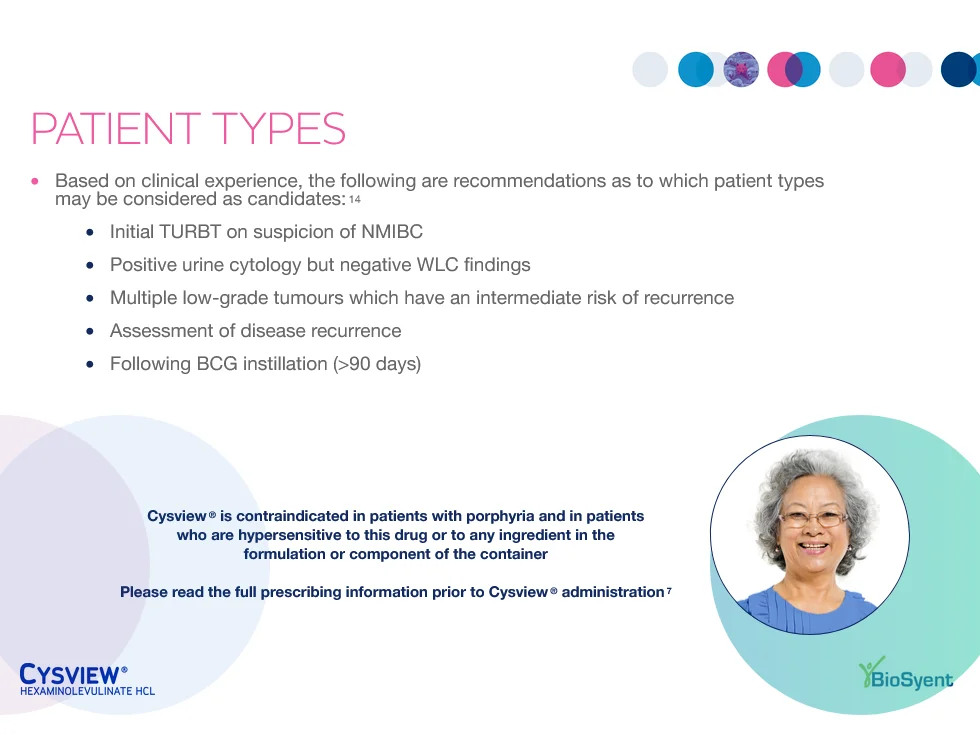
IQVIA OCE CLM detail aids for a field team
A series of more than ten interactive IQVIA OCE Personal detail aids built for BioSyent's specialty pharmaceutical field team, designed for clear conversations with healthcare professionals and reliable use in the field.
The challenge: a CLM that works in the room
A detail aid only earns its place if a rep can use it during a real conversation. The content had to be quick to navigate, so a rep could jump to the right message based on the question in front of them, hold up on the devices the team carries, keep working when the connection didn't, and meet IQVIA's requirements from the start rather than after a round of rejected uploads.
What we built: field-ready IQVIA OCE CLM
We designed and built the IQVIA OCE Personal CLM presentations around how the field team talks about the product. Navigation was structured so reps could move between sections without walking through every slide, interactive elements were used where they helped the conversation, and the build was tested for offline use across devices. Everything was built and tested to IQVIA's technical and compliance requirements, with clean source files and documentation at handoff.
Working across platforms? The same team also builds Veeva CLM.
IQVIA OCE CLM Build
- IQVIA OCE Personal
- CLM
- HTML5
- Interactive Detail Aid
- Field Deployment
What we build into a CLM
Across a series of more than ten interactive IQVIA OCE Personal detail aids for BioSyent, we handled the build end to end, from design to a compliant, certified upload. The same team builds Veeva CLM to the same standard.
PDF to IQVIA OCE CLM conversion
Static PDF and print detail aids rebuilt as interactive OCE presentations, turning existing content into something a rep can move through.
Custom JavaScript animation
Purposeful motion and interactive builds that reveal data step by step and keep the conversation moving, not animation for its own sake.
Adaptive across iPad models
Layouts that hold their proportions across the range of iPad screens a field team carries, so a detail aid looks right on whatever device a rep hands over.
Video and rich media
Video and other rich media embedded and tuned to play reliably on device inside the OCE environment.
Offline-ready detail aids
Everything works with no connection, so a detail holds up in a clinic with poor signal.
Feedback captured to IQVIA OCE
Interactive prompts write a rep's notes and an HCP's reactions straight back into OCE, so the field conversation feeds the CRM.
Personalized with IQVIA OCE data
Content that pulls live OCE data elements, greeting the HCP by name and adapting to the account in front of the rep.
Sequence-based CLM navigation
Multi-sequence decks a rep can jump through by topic, not slide by slide, so the story fits the conversation in the room.
IQVIA-compliant and certified
Built to IQVIA's OCE content guidelines by an OCE Personal certified team, with clean source files and documentation at handoff, so approval is smooth.
What made CLM builds hard
Every IQVIA OCE detail aid ran into the same design and engineering problems, and each deck had to solve them.
From static PDF to interactive CLM
PDF and PowerPoint decks were built for paper and projectors, not an iPad. Every layout had to be rethought for a screen a rep holds and taps.
Designing for the iPad screen
An iPad screen gives you far less space than a printed page or a monitor, so each screen had to earn its content and stay readable at arm's length.
Consistent across iPad models
The field team carries a range of iPad sizes and generations, so layouts had to hold their proportions and stay sharp across all of them.
JavaScript animation and interactivity
Charts that build, elements that reveal on tap, and other interactive moments were coded in JavaScript and tuned to run smoothly on device.
Replacing the default CLM navigation
IQVIA OCE's built-in slide navigation was replaced with the custom tap gestures the field team preferred, so moving through a deck felt natural in a live conversation.
Reusable CLM components
Shared, reusable components kept typography, spacing, and behavior consistent from slide to slide and across every presentation in the set.
Brand and design compliance
Every deck had to sit inside tight brand guidelines, down to color, type, and spacing, with no drift across a large set of presentations.
Fast MLR revision turnaround
When medical review sent back changes, they had to be made and repackaged quickly, without breaking the build or the layout.
Adapting English CLM to French
French copy runs longer than English on average, so each bilingual deck had to flex to fit more text without redrawing every screen.